ERP systems
Stock, sales and purchasing, right through to attendance and payroll, in one place, with workflows shaped around how your team already works.
We build ERP systems and web, mobile and desktop apps for businesses that have outgrown spreadsheets and group chats. Every system is designed for one client: its workflow, its screens, down to its reports.
Clients usually come to us because their data lives in too many files, reports are still made by hand, or their old app is hard to change. We start from that problem.
Stock, sales and purchasing, right through to attendance and payroll, in one place, with workflows shaped around how your team already works.
Android and iOS apps for field teams, sales staff or your customers, plus Windows and macOS apps for the front desk, warehouse and office. They can be built to keep working when the signal drops.
Dashboards, customer portals or internal tools your team can open in a browser, at the office or at home.
We connect the tools you already use, such as accounting software, or send automatic WhatsApp and SMS notifications, so nobody has to retype the same data.
Screens a new hire understands on day one. We prototype first, so you can try the flow before any code is written.
Once the system is live, we keep an eye on it, fix what breaks and add features as your business grows.
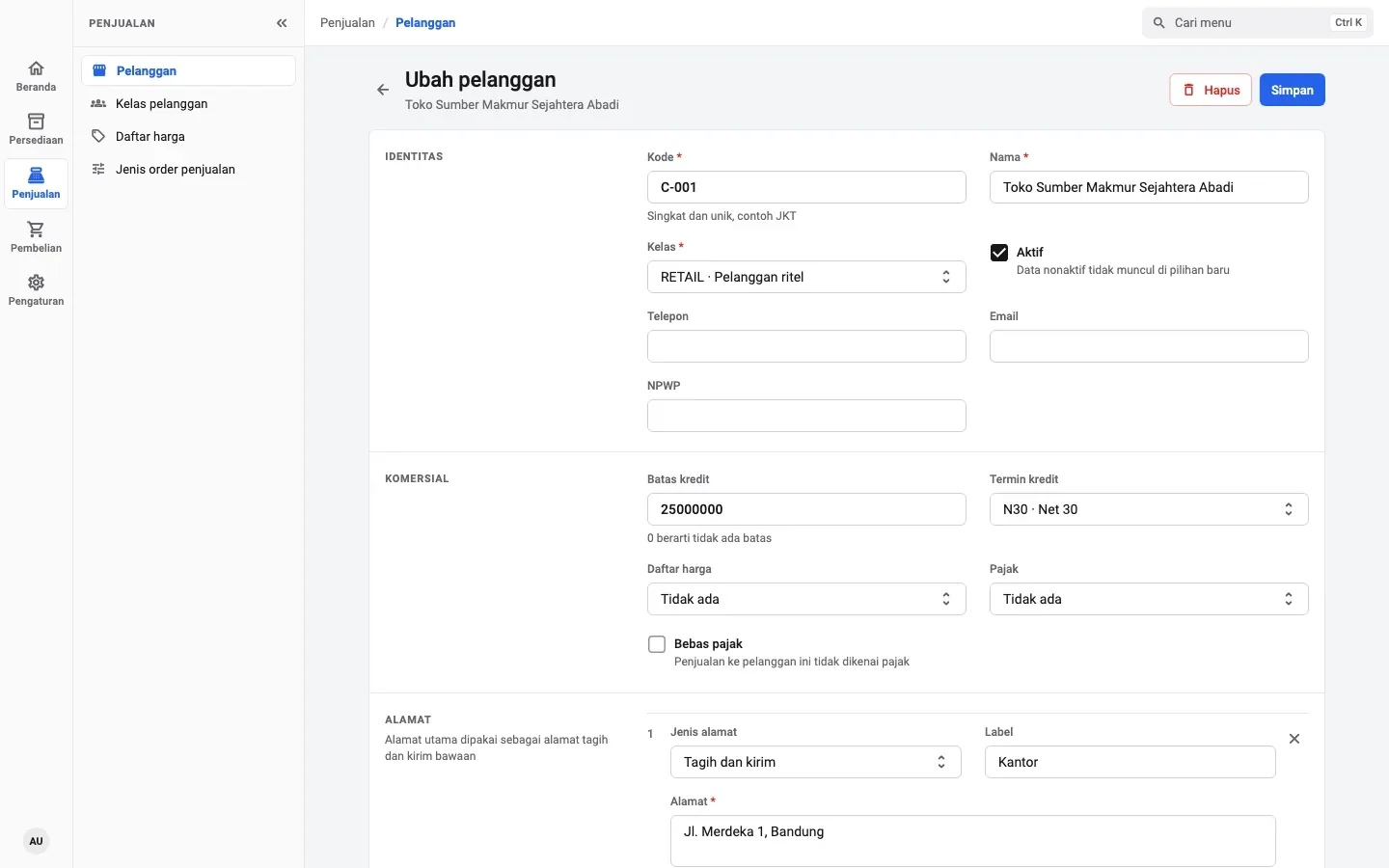
Three systems with very different needs. For clients, we design every system around the workflow, terms and reports they already use.
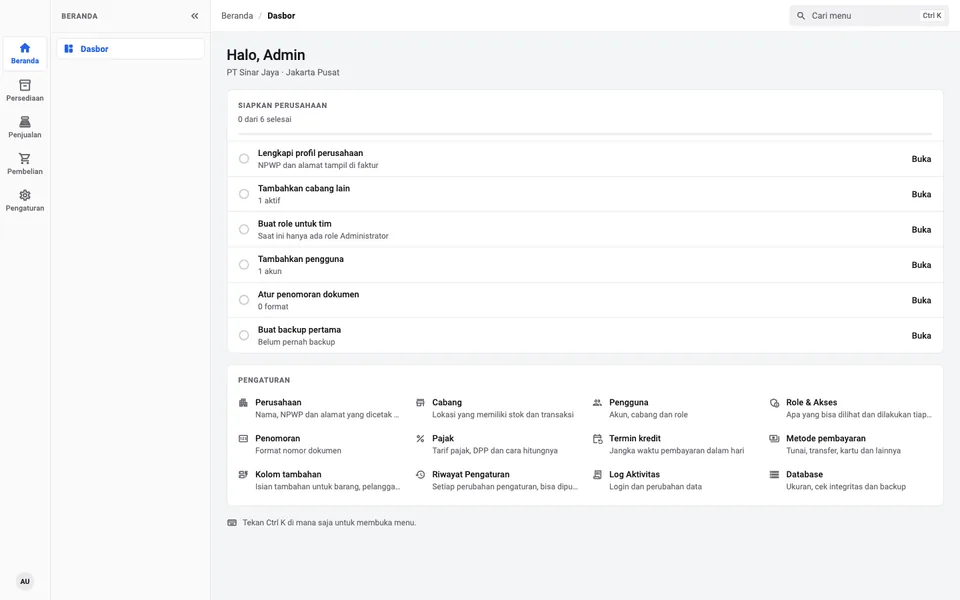
Designed for teams whose work can't stop when the internet goes down. Data lives on the device, so stock, sales and purchasing keep running when the connection drops.
Data is stored on the device. When the signal drops, the work keeps going.

Offline · data safe on device
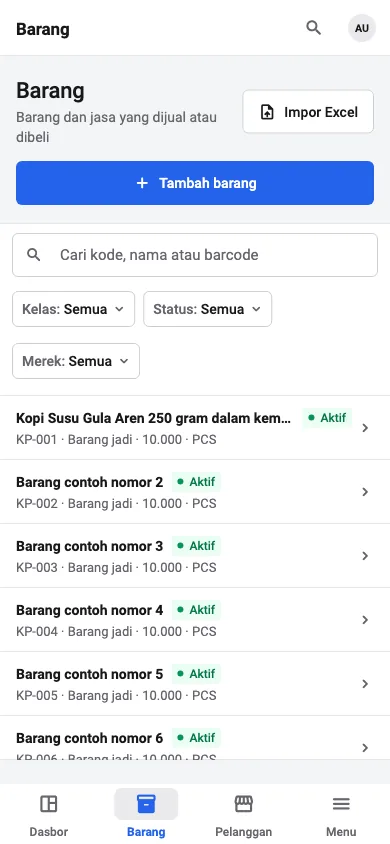
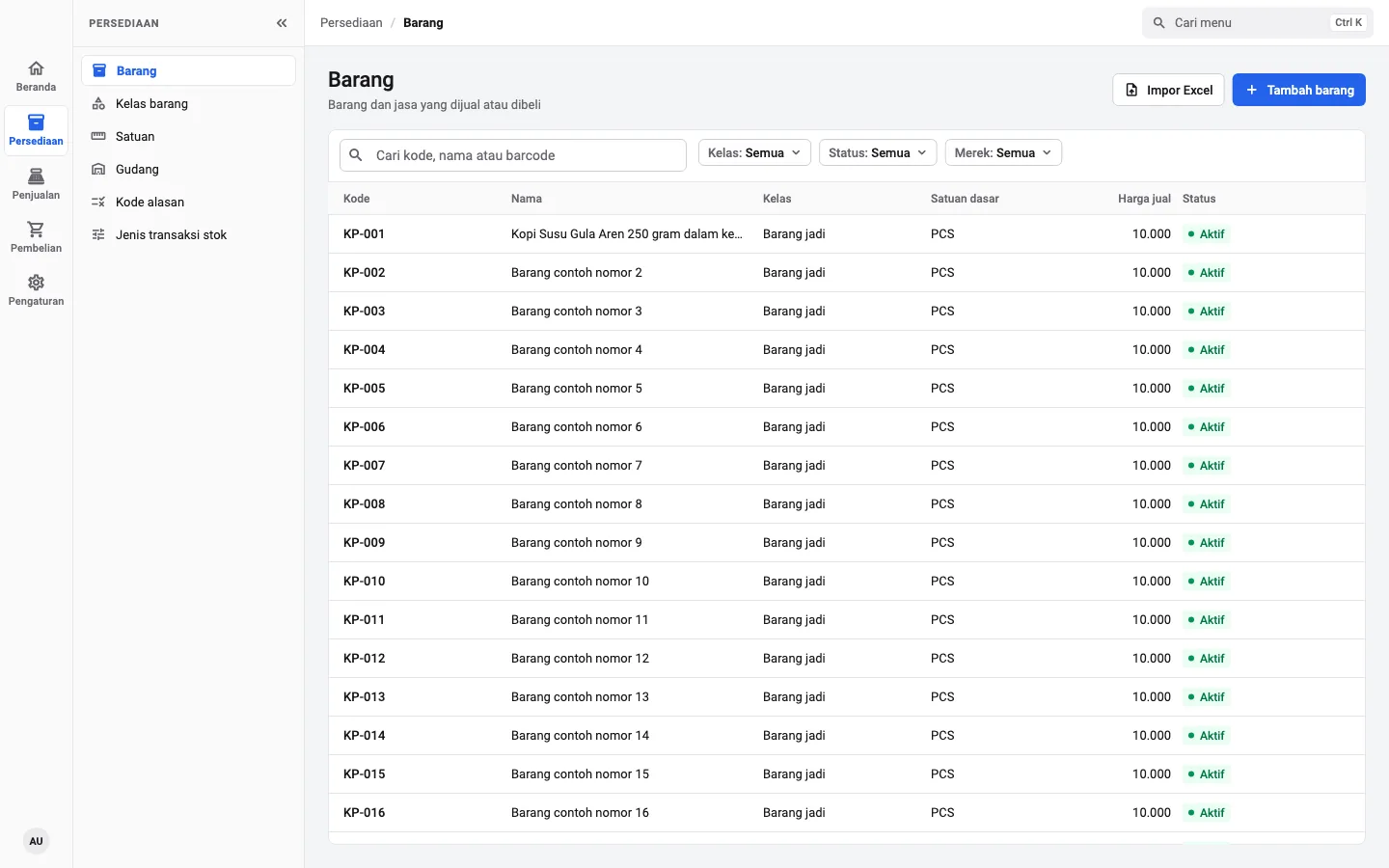
We tested it with 200,000 rows. Search items by code, name or barcode and the results appear right away.

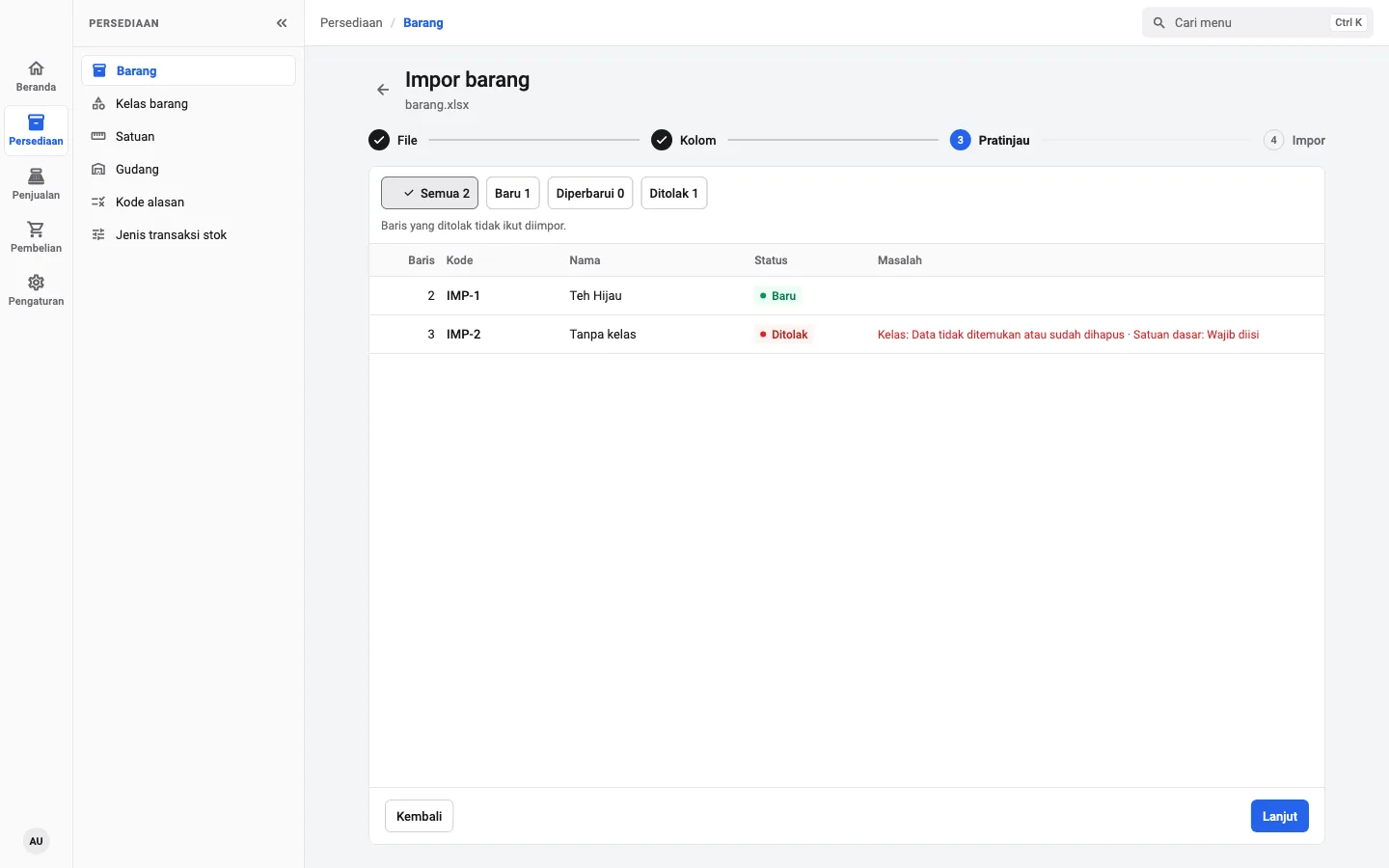
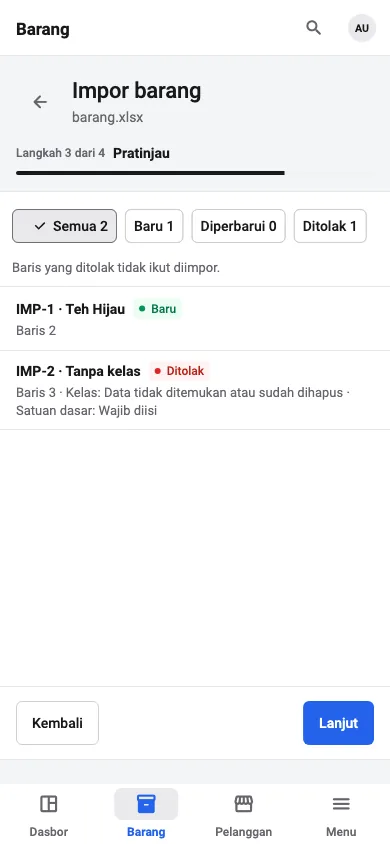
Items, customers and vendors import straight from Excel. Rows with problems are flagged, with the reason, before anything is saved.

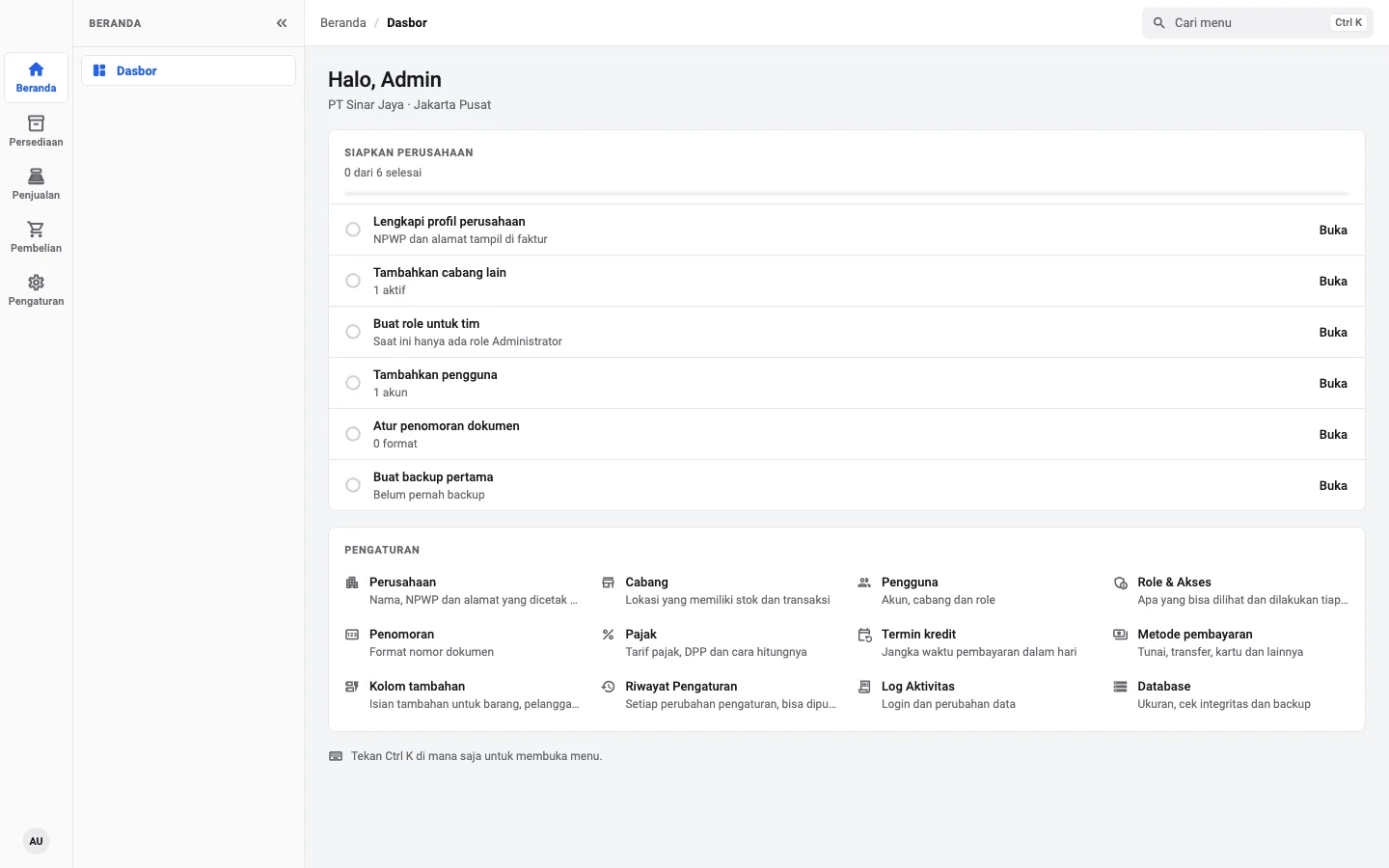
See who changed what, and when. Older settings can be restored in one click.

Each person only sees the menus they need. Access is set per role and per branch.

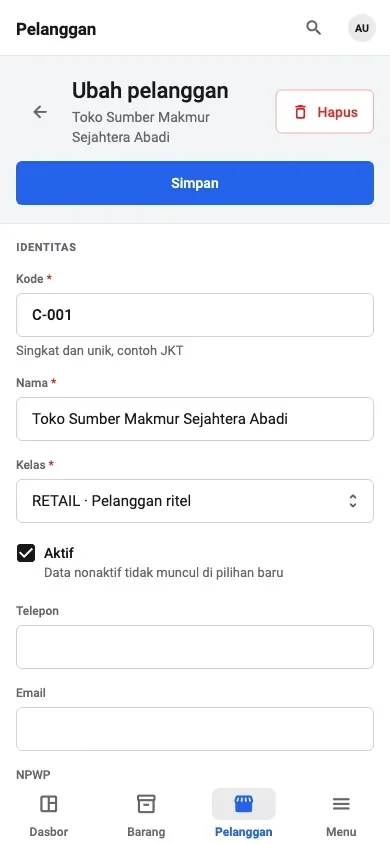
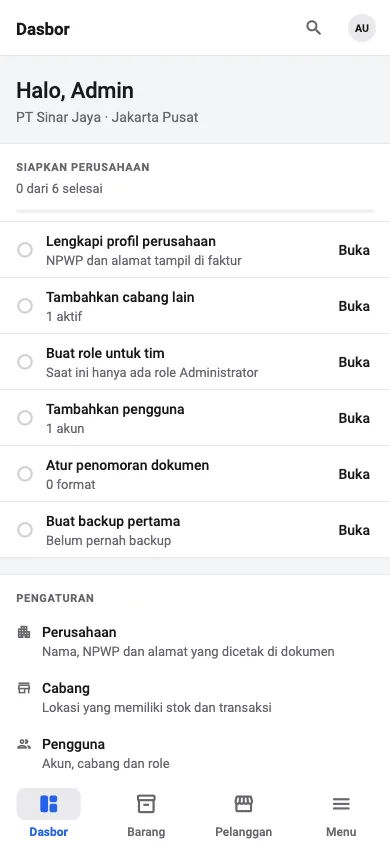
The layout adapts to the screen, and there is a dark mode for people who work late.


Built for a client that pays staff from attendance-machine data. Files from the machine come in through Excel, then late and absence deductions, overtime and meal allowances are worked out from each employee's rules.

Upload the Excel file from the attendance machine and every check-in and check-out lines up by date, ready to correct in the grid.
Monthly or weekly pay, late deductions per minute, absence deductions per day, overtime rates and meal allowances are set for each employee.
Net pay is calculated per period, including overtime on holidays, then exported to Excel for the finance team.
A portal for businesses that send WhatsApp and SMS notifications from several apps at once. Every message status, the cost per message and webhook reports live in one place.

Each application gets its own WhatsApp number and SMS token, with a daily sending quota.
Sent, read or failed, each message is logged with its cost and can be exported to Excel.
Webhooks report message status and incoming replies to your system, with delivery history and a resend button.
You don't need a technical background. We turn what your business needs into a working system, and you start seeing it in the first few weeks.
Tell us the problem and how your team works today. We ask a lot of questions at this stage.
Before any code, you click through the flow and screens as a prototype.
We build one module at a time. When a module is done, you try it and tell us what to change.
We move your existing data, train your team and stay on after the system goes live.
Every project is different. Pick the option that fits where your business is right now.
Scope, schedule and cost agreed before we start.
Our developers and designers work on your product, billed monthly.
For systems already running, including ones built by another vendor.
Short answers to the questions we hear most from new clients.
Ask our team directly on WhatsApp. A few lines about your business help us give you a useful answer.
Chat on WhatsAppIt depends on the features and scale. Once we understand what you need, we send a proposal with the features, schedule and cost.
No. The systems on this page show what we can build. For your business, we design the workflow, screens and reports from your own needs. What we learned building them makes the work faster and less risky.
A simple system can take a few weeks, a large one a few months. Because we build module by module, the first part is usually usable early.
Yes, when you need it to. The ERP shown on this page stores data on the device and keeps working when the internet is down.
Yes. We review the code and database first, then explain what needs fixing and how much work it is. Your operations keep running throughout.
That is set out in the contract before the project starts, so it is clear from day one.
No. We are based in Surabaya, but discussions, demos and training can all happen online.
Send us a WhatsApp message with a short description of the problem. We reply with a few questions before putting together a proposal.
Location
Surabaya, East JavaIndonesia


YouCan the import button move to the top?